
Works with
- ANAF SPV
- e-Factura
- SAF-T D406
- SAGA C
- e-Transport
- Datecs
- WooCommerce
- eMAG
- Wolt
- Trendyol
- Glovo
- Bolt Food
- Sameday
- Cargus
- FAN Courier
- Econt
- Speedy
- Stripe
- Viva
- Zebra
- TSC
- Google Merchant Center
- compari.ro
- VIES
- SmartBill import
Who it's for
Online and stores
Orders come in, stock and prices go out, and the parcel leaves with an AWB.
For chains
Every store in one account: each one's profit, goods between them, roles by store.
For cafés
One till for tables, kitchen and delivery. Recipes give each cup's cost, to the gram.
Repairs and dry cleaning
Work orders, advances on the receipt, IMEI and warranty. Dry cleaning by piece, kg or m².
For accountants
The books stay with you. e:corg keeps the documents and hands you the month's files.


A day in a store
A grocery shop in Bucharest on an ordinary Tuesday.
08:00
Invoices from SPV are already in
10:30
Scan the crates, post the receipt
13:00
SGR adds itself at the till
21:00
The Z report closes the day
Month end
SAF-T and SAGA for the accountant
What's inside
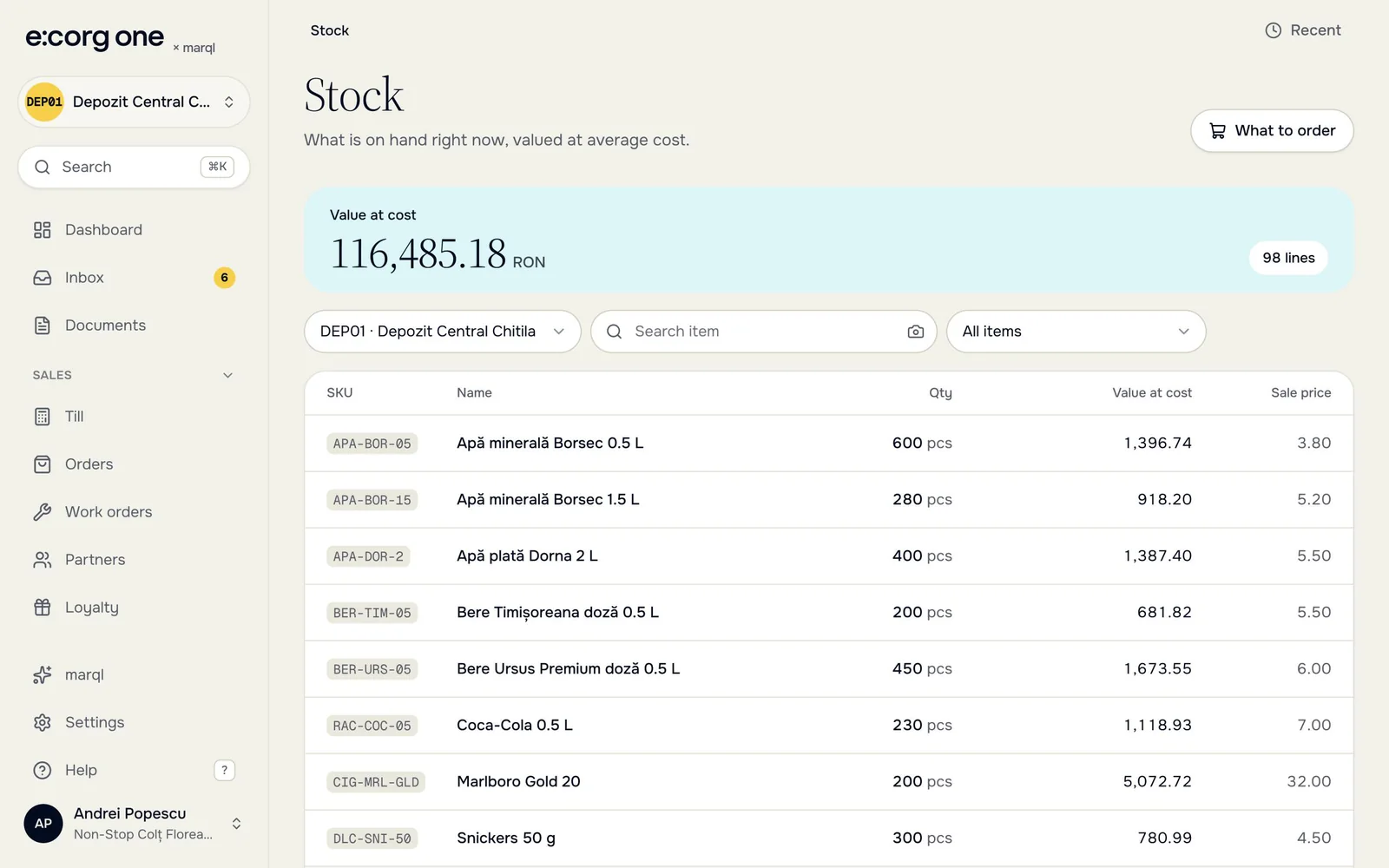
One account for the whole team: in the browser on a computer or a phone, and in the iPhone app.
Buying

- ANAF SPV invoices
- Lines matched once
- Purchase orders
- e-Transport UIT

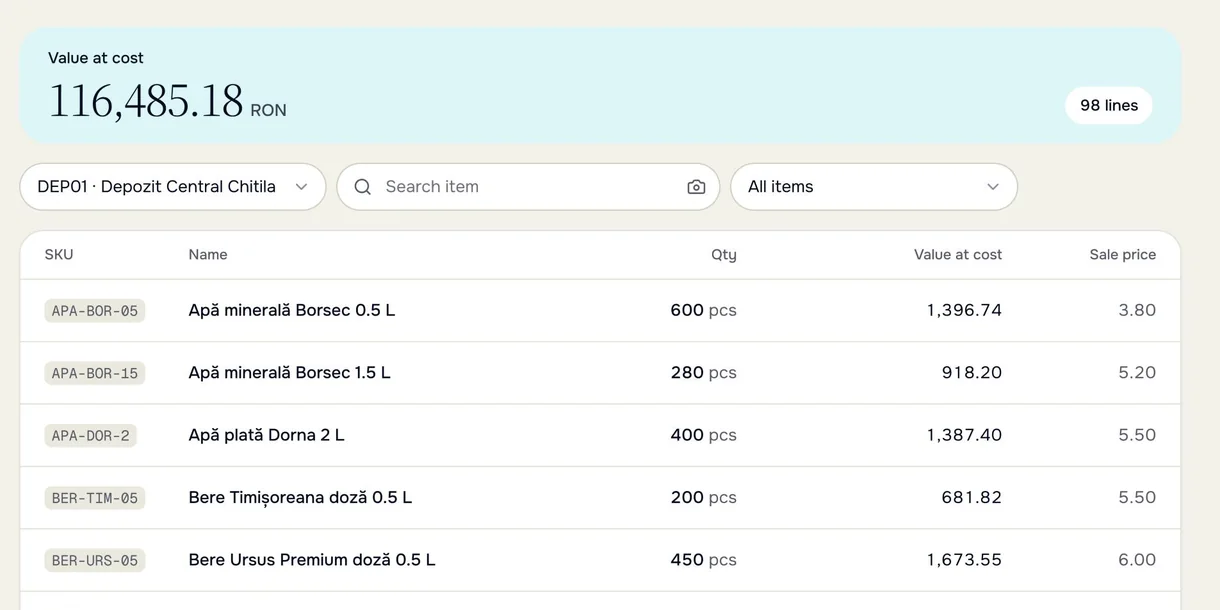
Stock
- Per store and warehouse
- Transfers and counts
- Lots and expiry
- Recipes and production
At the counter
- Till for Datecs printers
- Café and kitchen screen
- Loyalty card on the phone
- Zebra and TSC labels
Online and delivery

- WooCommerce, eMAG, Wolt, Trendyol
- Glovo and Bolt Food
- Sameday, Cargus, FAN Courier, Econt, Speedy
- Google Merchant Center
Money

- Invoices to e-Factura
- Stripe payment links
- Bank statements
- Viva terminals

Accounting and team
- SAF-T D406
- SAGA export
- Bulgarian VAT ledgers
- Two-step sign-in
Now on iPhone
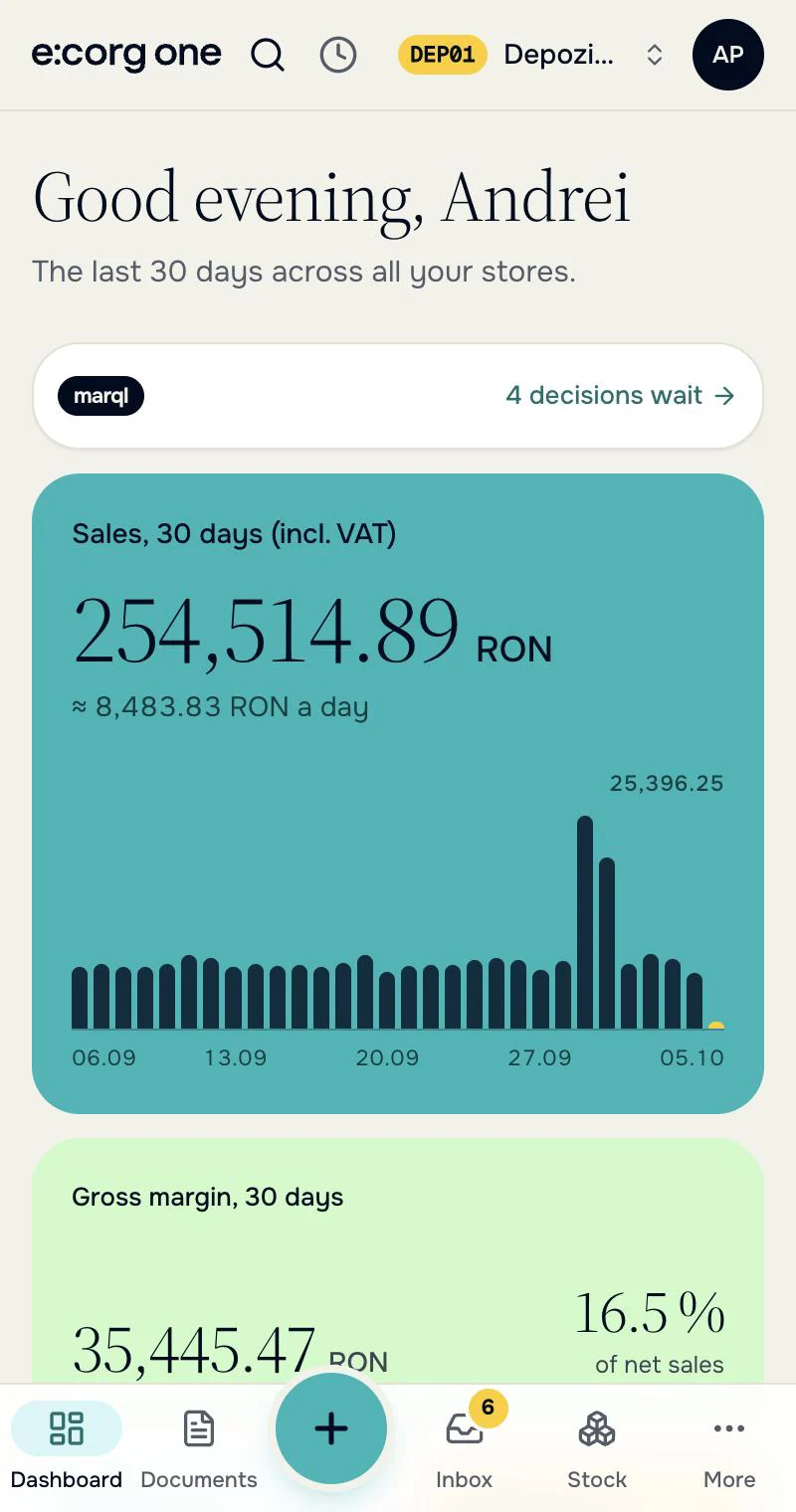
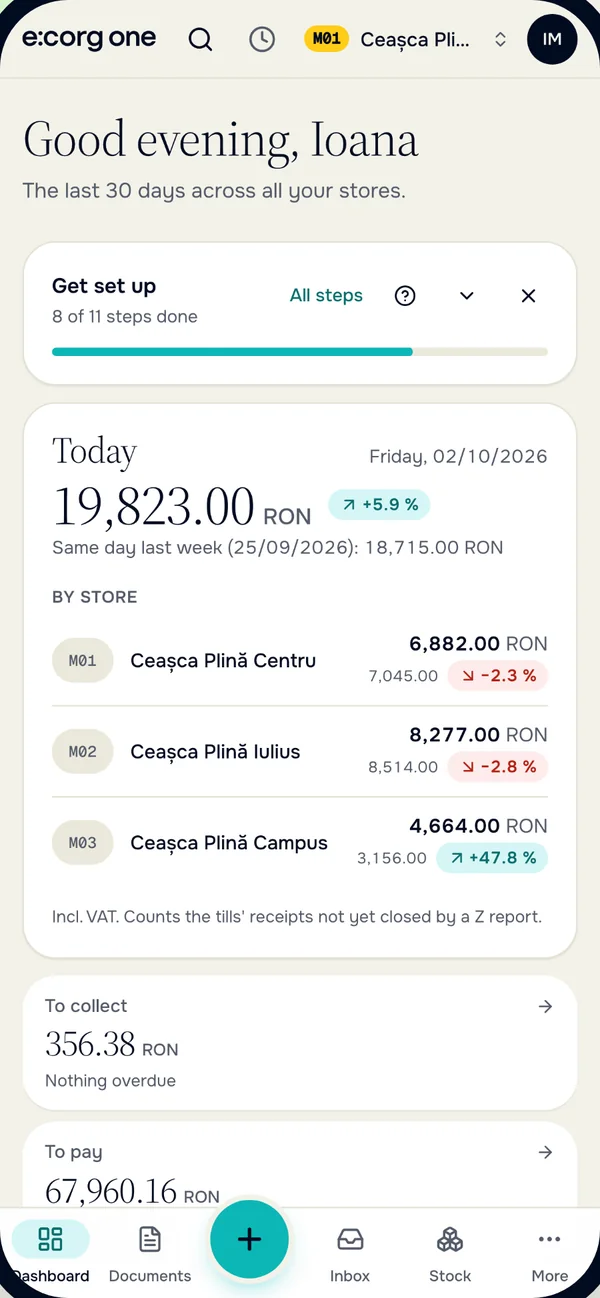
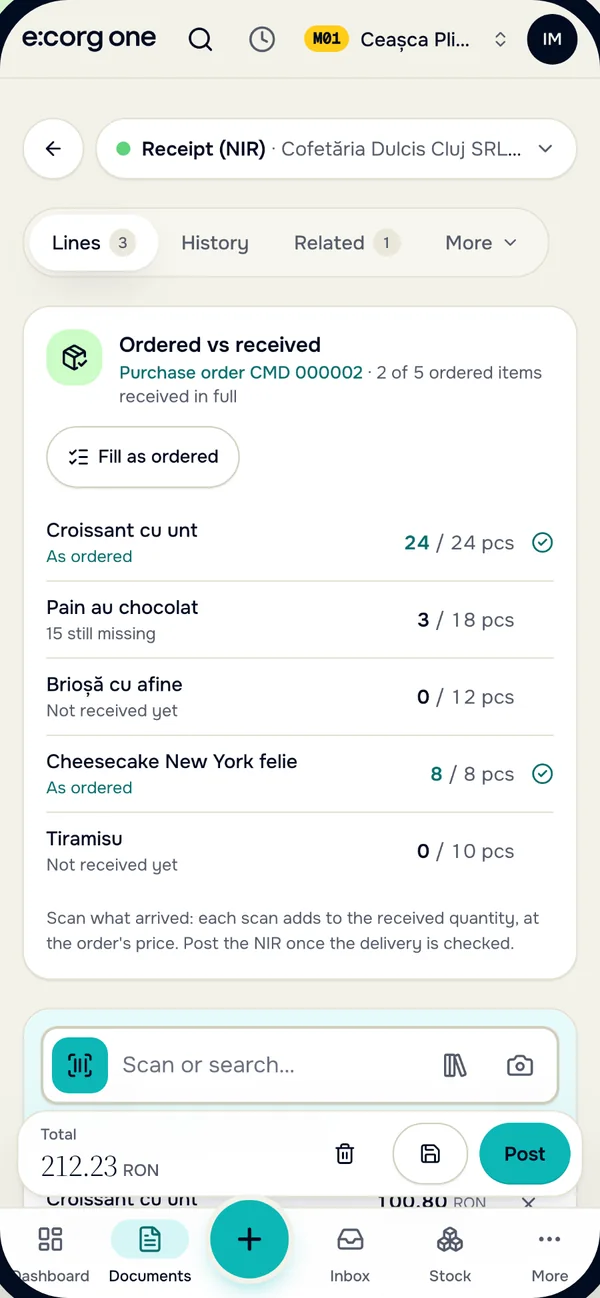
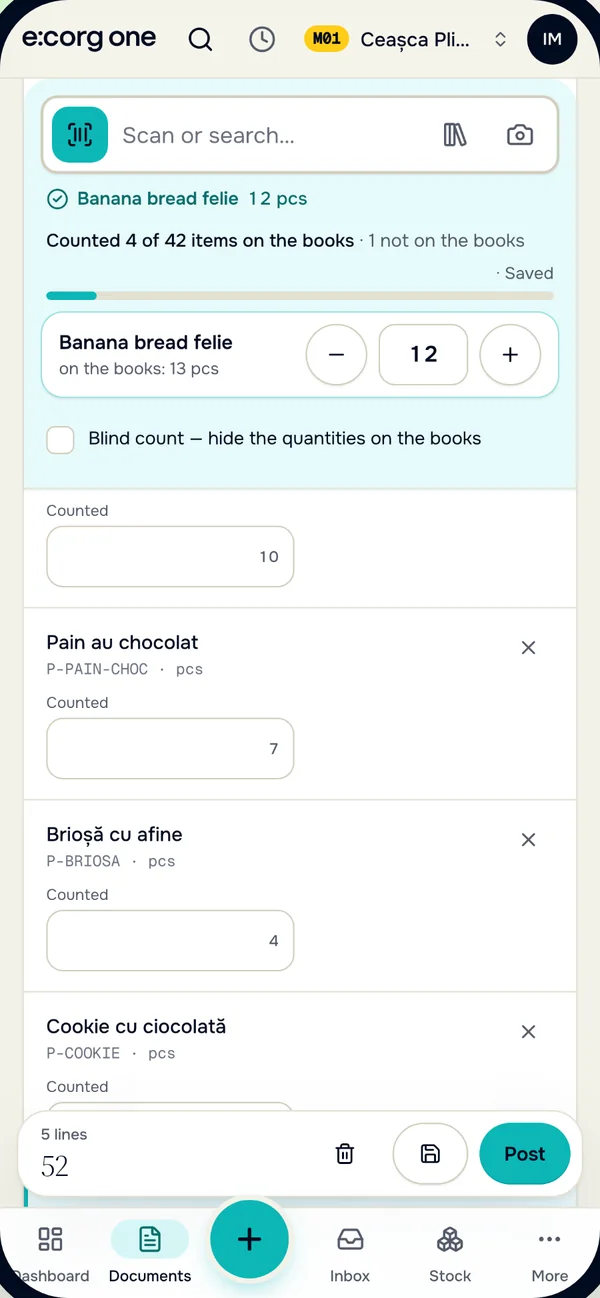
Receive deliveries, count stock and see today's takings right on the shop floor. It works with the same account and data as the browser.


- Today, store by store
- Receive against the order
- Count with the camera
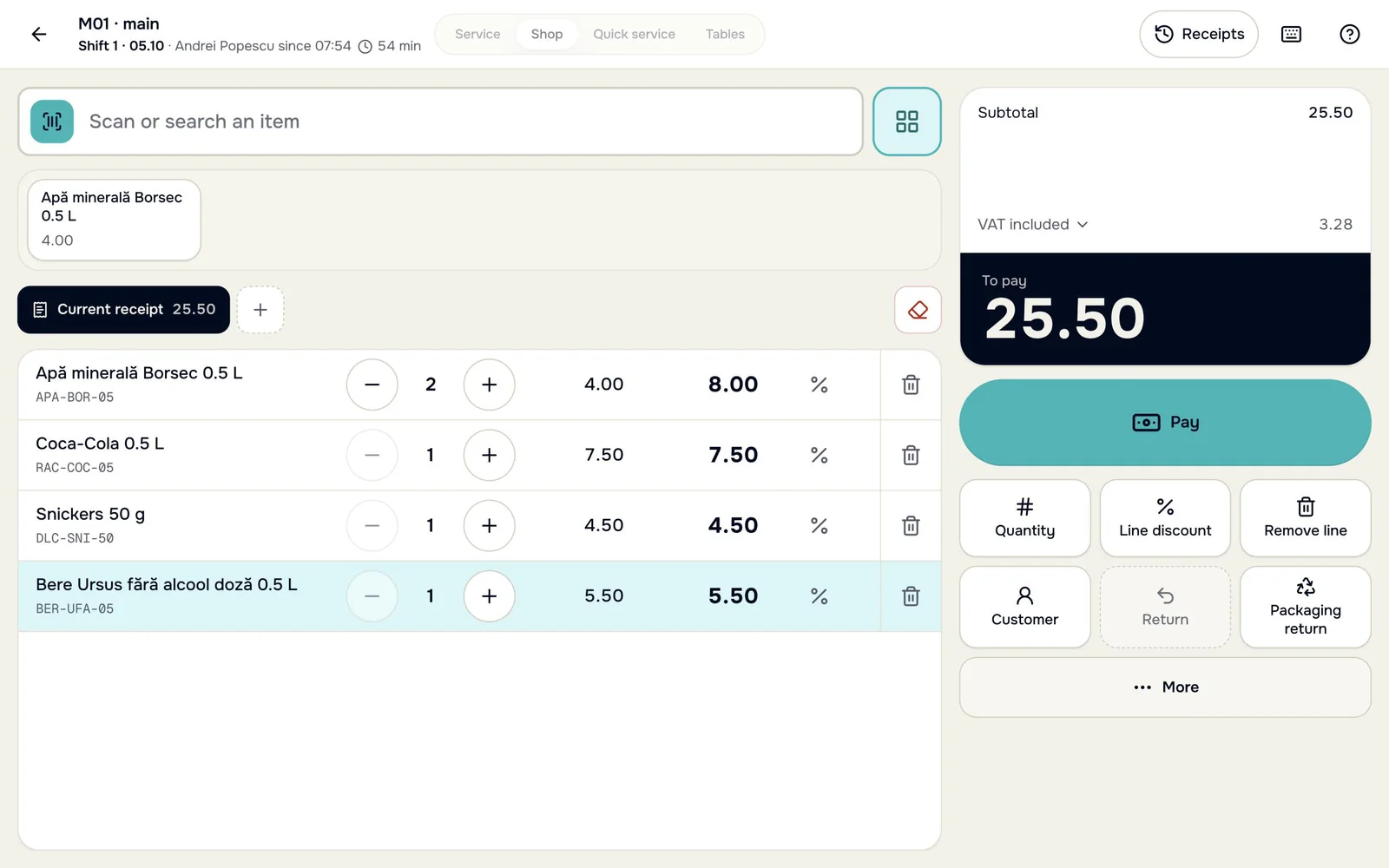
Our own till, tied to the stock and the books
e:corg POS sells at the counter and prints the receipt on the store's fiscal printer. Every sale takes the goods off stock, and the Z report becomes the store's POS day in the books.
Till 1 · receipt 0000214
- 2 × Still water 2 L7.98
- 2 × SGR deposit, PET1.00
- 1 × White bread 500 g4.50
Total, lei13.48
Card · fiscal printer
- SGRthe deposit adds itself to bottles and cans
- X · Zshifts, cash in and out, counting the drawer
- Offlinekeeps selling without a connection, the Z too
- Returnsreturns, parked receipts, the last 7 days of receipts
- Displaya customer display on a second monitor
- Shop
- Quick service
- Tables
- Service
Romania only for now. We switch selling through e:corg on together with you; until then the till runs in training mode.
e:corg POS for Windows 10 and 11
Supported equipmentShorter queues, clearer shifts, help at the till
On the Standard plan (€20 per store) the e:corg till comes with marql add-ons. The numbers come from your own records in e:corg.
Till throughput
No marql account needed
The till times every receipt: scanning, searching, paying. The report turns this into 15-minute windows and a staffing hint: when queues build up and how many tills to open.
Shift summary
No marql account needed
5-6 lines at every shift close, from e:corg's own numbers: takings against a usual day, the cash difference and its likely cause, items that ran out. It shows on the shift page, and comes by email if you want. marql only chooses the order of the sentences.
Help at the till
Needs a connected marql account
marql answers the till's ? button from e:corg's own help articles, with links to them. If the articles don't cover the question, it says so.
Fiscal errors, explained
Included on every plan
The fiscal device's errors in the cashier's words, with safe one-click fixes: VAT group not set, paper out, a Z report due after 24 hours.
The till's timings carry only times and counts: no amounts, items or customers. Romania only for now.
What you can plug in
Romania · e:corg POS
- Fiscal printers
- Datecs FP-700 MX, through Datecs' DUDE app and with a customer display (DPD201 or DPD501), as its approval in Romania requires. DP-25 MX and WP-50 MX are in testing.
- Card terminals
- Viva.com terminals, or the Viva Terminal app on an Android phone or iPhone: the till sends the amount. With any other bank terminal the cashier records the card payment.
- Customer displays
- A second monitor, or a 2 × 20 pole display on a serial port (Epson commands).
- Scales
- Scales that print barcode labels (codes 20-29): the till reads the weight or the price from the label.
- Kitchen printers
- Network printers (port 9100) for kitchen and bar tickets.
Romania and Bulgaria · back office
- Barcode scanners
- Any USB or Bluetooth scanner that types like a keyboard; a 2D scanner for GS1 DataMatrix. Or the phone camera: in the e:corg one iPhone app, in Chrome on Android and in recent Safari.
- Label printers
- PDF on A4 label sheets or a roll; Zebra (ZPL) and TSC / Xprinter (TSPL) thermal printers.
Bulgaria · the till
- Sales
- The sale stays on your certified SUPTO; e:corg records the day's sales and keeps stock and books.
The list keeps growing. If you use other equipment, write to us.
Bringing your data over
Nobody types the catalog again. The opening stock goes in as drafts you check and post.
Getting started, step by step- 1
Excel · CSVItems, barcodes, prices and opening stock, on our template.
- 2
SmartBillCustomers, suppliers, products, warehouses and stock, directly.
- 3
SmartBillUnpaid invoices become opening balances in Debts.
- 4
ANAF SPVThe first pull brings the last 60 days of supplier invoices.

Romanian and Bulgarian rules

Romania
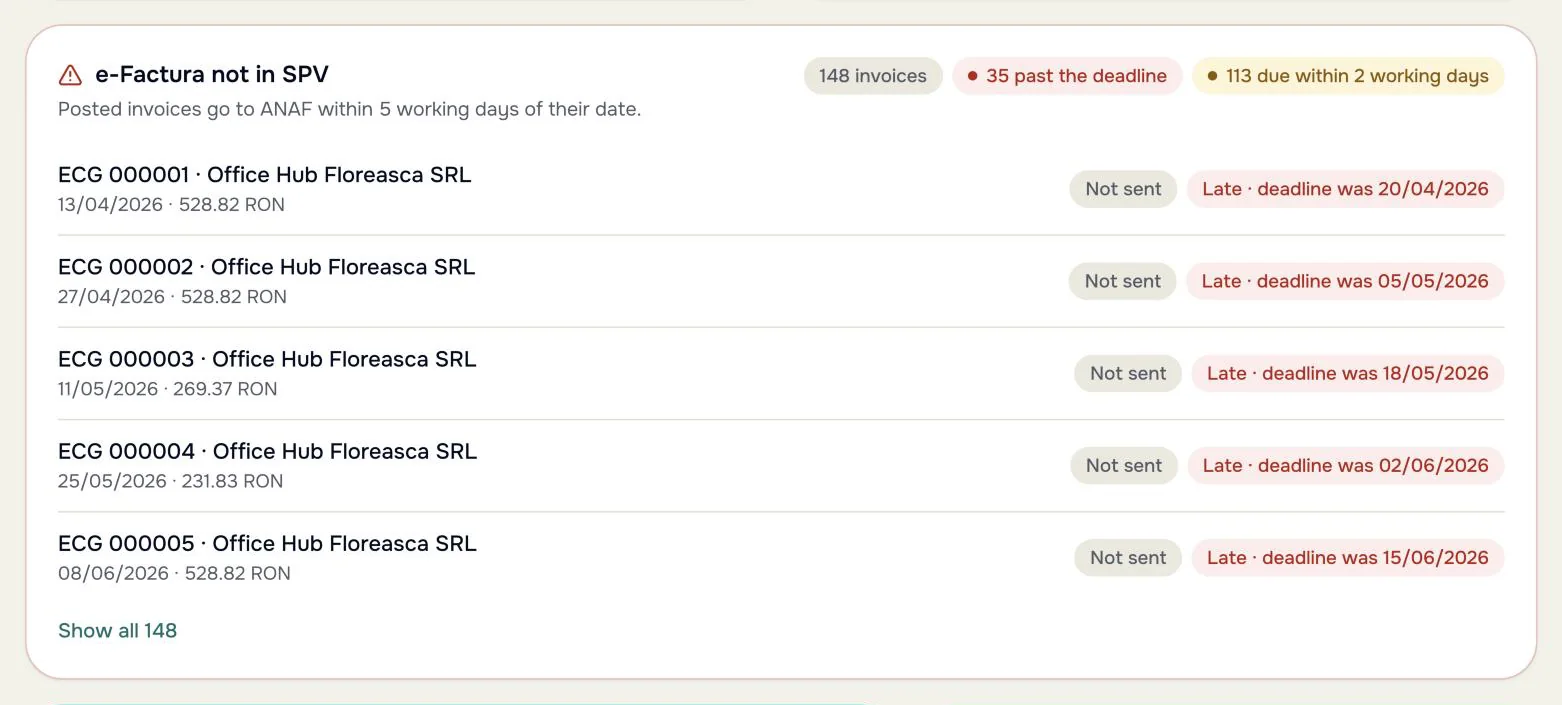
RO- e-FacturaB2B and B2C, the 5-day deadline on the dashboard
- SAF-T D406every month, from the postings
- SAGA Cexport for the accountant
- OMFP 1802VAT on collection, retail-price method
- e-TransportUIT codes
- SGR0.50 lei, outside revenue
Bulgaria
BG- VIEScompany and partners by EIK
- VAT ledgerspurchases and sales, for the NRA
- 10 digitsinvoice numbers
- EURbookkeeping in euro
- SUPTOshop sales stay on a certified one
Analytics from marql, free tier included
Every account gets the free tier: a weekly brief, the top signals and five chat questions a day.
AI is built into the daily work: help at the till, a summary at every shift close, reorder suggestions and item forecasts. marql suggests from the facts e:corg keeps, and a person does all the posting.
About marqlWeekly briefWeek 39

Why did dairy margin drop?
Price per store
No setup fee and no per-user fee.
StarterSubsidised
€7/ month
- 1 store
- Up to 500 items
- Everything except loyalty
Standard
€20per store / month
- Any number of stores
- No limit on items
- Loyalty included
Examples
€7
1 store · up to 500 items
€20
1 store · 2,000 items
€40
2 stores · 3,000 items
€100
5 stores · 8,000 items
Prices in euro, without VAT.
Questions we hear

Do I need to replace my cash register?
No. The day's sales come in from the Z report, typed or imported from a CSV file. In Romania you can also sell from the e:corg one till with a Datecs fiscal printer; we switch it on with you.
Does it replace my accountant's program?
No. e:corg one books every document and prepares SAF-T D406, the SAGA export or the Bulgarian VAT ledgers. Payroll, fixed assets and year-end closing stay with your accountant.
Can I move from SmartBill?
Yes, in Romania: the importer brings customers, suppliers, products, warehouses and stock, and unpaid invoices come from SmartBill's reports. Any other program works through an Excel or CSV file.
Does it work for a café?
Yes. Café mode has a table map, open bills shared by the tills, dishes with modifiers, kitchen tickets and a kitchen screen, split bills and tips.
Do I need to install anything?
Not for the back office: it runs in the browser on a computer or a phone, and the phone camera scans barcodes. On an iPhone there is also the e:corg one app on the App Store. For the till computer there is the e:corg POS app for Windows.
Where is my data kept?
In a managed database in the European Union. Access keys for integrations, such as the ANAF connection, are stored encrypted.
My company is outside Romania and Bulgaria.
For now you can open a company only in Romania or Bulgaria. Leave a request at sign-up and we'll write when we open your country. Customers and suppliers can be from any country.
How is the price counted?
Starter costs €7 a month for one store with up to 500 items. Beyond that, each store costs €20 a month, including the first.
An accountant? See what you get Where the data lives and who sees it

Two steps to your first store
Your CUI or EIK fills in the company. Name the first store and record the first receipt.
